
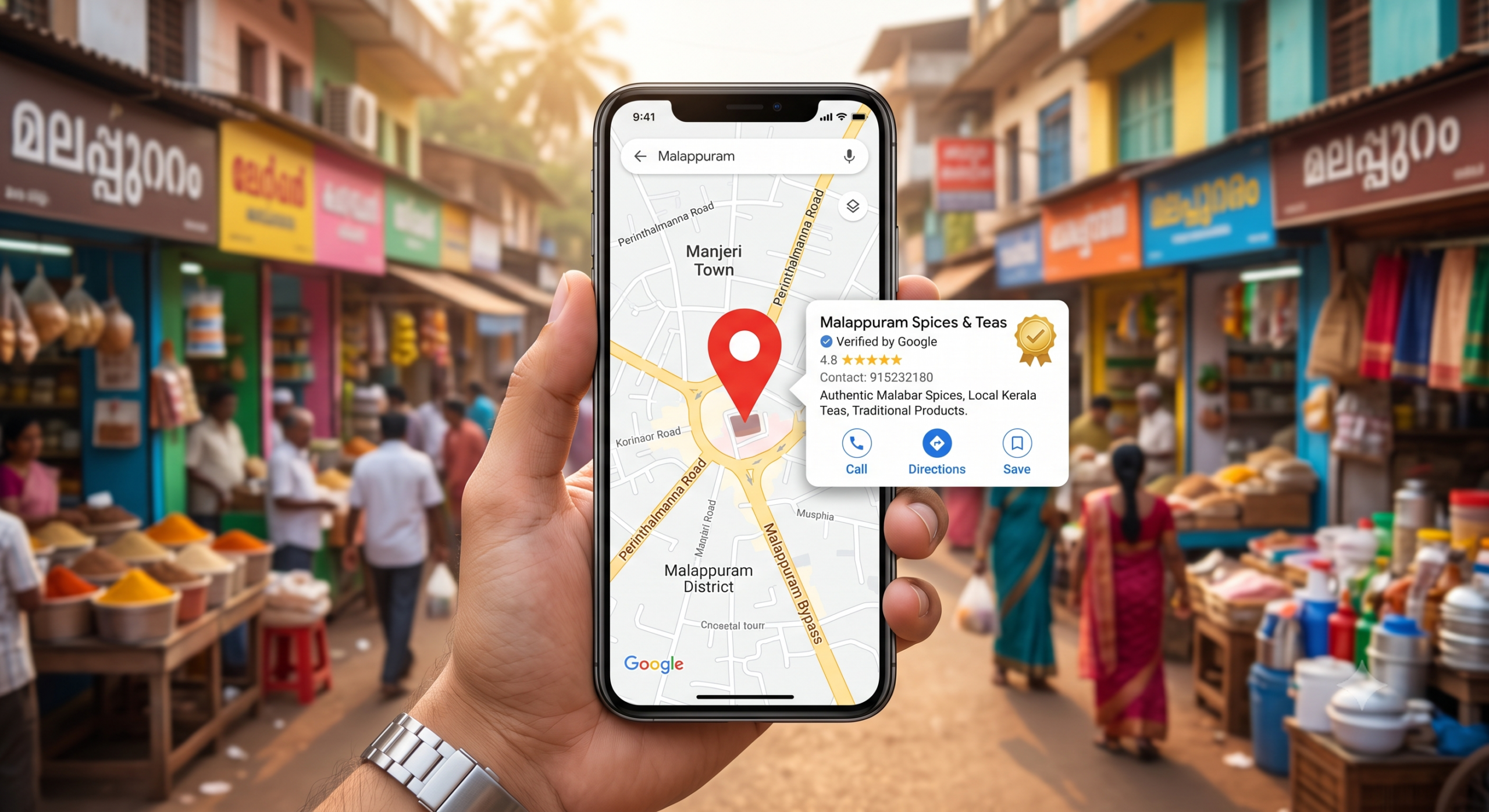
Google Business Profile in Malappuram
Google Business Profile in Malappuram: A Complete Guide to Local SEO
Introduction
If you run a business in Malappuram, having an online presence is no longer enough. When people search for a service, shop, restaurant, agency, or professional near them, they often turn to Google Search and Google Maps.If you’re looking for a digital marketing expert in Malappuram, a strong local SEO strategy can help your business improve its online visibility.
This is where a Google Business Profile can help your business become more visible to potential local customers.
A well-optimized profile can make it easier for people to discover your business, learn about your services, view photos, read reviews, and contact you. Google explains that local results are primarily influenced by relevance, distance, and prominence, so businesses should focus on providing complete and accurate information while building genuine visibility and trust.
In this guide, you’ll learn how to optimize your Google Business Profile in Malappuram, improve your local SEO presence, and create a stronger connection with customers searching for businesses in the area.If you haven’t created your profile yet, you can create or claim your Google Business Profile and provide accurate information about your business.

What Is a Google Business Profile?
A Google Business Profile is a free business listing that helps eligible businesses manage how they appear on Google Search and Google Maps.
Your profile can display important information such as:
- Business name
- Business category
- Address or service area
- Phone number
- Website
- Opening hours
- Photos and videos
- Customer reviews
- Products or services
Google provides Business Profiles to help businesses appear when customers search for relevant businesses on Google Search and Maps.
For a local business in Malappuram, an optimized profile can become an important part of your overall local SEO strategy.
Why Google Business Profile Is Important for Businesses in Malappuram
brands competing for customers.
When someone searches for a service near them, your business needs to be easy to find and easy to trust.
A strong Google Business Profile can help potential customers:
- Discover your business through Google Search
- Find your business on Google Maps
- Understand what services you provide
- Check your business hours
- View photos of your work
- Read customer reviews
- Visit your website
- Contact your business
However, creating a profile alone does not guarantee top rankings. Google states that local rankings are primarily based on relevance, distance, and prominence. I also provide Google Business Profile and local SEO support for businesses looking to improve their local visibility.
7 Ways to Optimize Your Google Business Profile in Malappuram
1. Complete and Verify Your Business Profile
Start by making sure your business profile is properly claimed and verified.
Complete all relevant information accurately. Your business name should reflect your real-world business name, and your address or service area should be accurate.
Avoid adding unnecessary keywords to your business name just to manipulate rankings. Google specifically recommends using your real-world business name consistently.
2. Choose the Right Primary Business Category
Your primary category helps Google understand what your business does.
Choose the category that most accurately represents your main business.
You can also add relevant secondary categories when appropriate, but avoid choosing unrelated categories simply because you think they may bring more traffic.
3. Add Complete Business Information
Make sure your profile contains accurate:
- Business name
- Phone number
- Website
- Address or service area
- Opening hours
- Business description
- Services
Your information should be consistent across your website and other important online profiles.
Google recommends keeping business information complete and accurate so customers can understand what your business offers and when they can visit or contact you.
4. Add High-Quality Photos and Videos
Visual content can help customers understand your business before contacting you.
Consider adding:
- Logo
- Cover image
- Business photos
- Team photos
- Workspace photos
- Product photos
- Service-related images
- Project photos
- Short videos
Use original, high-quality images that genuinely represent your business.
Google also recommends adding photos and videos to help customers understand what a business offers.
5. Get Genuine Customer Reviews
Reviews can help build trust with potential customers.
Encourage genuine customers to share their experience after completing a purchase or service.
You should also respond professionally to reviews—both positive and negative.
Do not buy fake reviews or manipulate reviews. Your goal should be to build genuine trust and a strong reputation.
Google notes that responding to reviews shows customers that you value their feedback, while reviews and positive ratings can contribute to local prominence.
6. Keep Your Profile Active and Updated
Don’t create your profile and forget about it.
Regularly check that:
- Business hours are correct
- Services are updated
- Photos are current
- Contact information is accurate
- Important business information has not changed
If your business changes its hours, services, or other important information, update your profile promptly.
7. Connect Your Google Business Profile With Your Website
Your Google Business Profile should be part of your larger local SEO strategy.
Connect it with your website and create relevant local content.
For example, if you provide digital marketing services in Malappuram, your website could include relevant pages about:
- Digital marketing services in Malappuram
- SEO services in Malappuram
- Social media marketing
- Google Ads
- Local SEO
- Google Business Profile optimization
Your blog should also internally link to your relevant service pages.
Google Business Profile vs Google My Business
You may have heard the term Google My Business, often shortened to GMB.
Google My Business was renamed Google Business Profile.
Many people still search for terms such as:
- Google My Business Malappuram
- Google My Business Profile
- GMB optimization
- Google Maps business listing
Therefore, you can naturally mention these terms in your content while using Google Business Profile as the primary terminology.
How to Improve Local SEO in Malappuram
Your Google Business Profile is only one part of local SEO.
For stronger local visibility, focus on:
1. Local Keyword Optimization
Create useful content around relevant searches.
Examples:
- Digital marketing expert in Malappuram
- Digital marketing services in Malappuram
- SEO services in Malappuram
- Graphic designer in Malappuram
- Video editor in Malappuram
- Google Business Profile optimization in Malappuram
Use these keywords naturally. Avoid keyword stuffing.
2. Build Relevant Local Links
Try to earn links from relevant and trustworthy websites.
For example:
- Local business directories
- Industry websites
- Local organizations
- Business associations
- Relevant publications
Google states that prominence can be influenced by factors such as how well-known a business is and information including links and reviews.
3. Keep Your Business Information Consistent
Make sure your important business information is accurate and consistent wherever your business is listed online.
4. Create Helpful Local Content
Write articles that answer questions your potential customers actually have.
This is where your blog strategy can help.
For your website, I would create a topic cluster around Malappuram local SEO and digital marketing rather than publishing unrelated articles.
Learn more about my digital marketing services in Malappuram.
Common Google Business Profile Mistakes to Avoid
Avoid these common mistakes:
- Using an inaccurate business name
- Adding unnecessary keywords to the business name
- Choosing unrelated categories
- Leaving important information incomplete
- Using low-quality images
- Ignoring customer reviews
- Providing outdated business hours
- Creating duplicate profiles
- Using misleading information
- Buying or manipulating reviews
Google’s guidelines emphasize accurate representation of the real-world business and warn against practices that can lead to profile problems or removal. Before making changes to your profile, always follow Google’s guidelines for representing your business to avoid inaccurate information or potential profile issues.
The Direct Business Benefits
1. Instant Visibility in Local Searches
When a customer types “goldsmith in Manjeri” or “dermatologist in Malappuram,” Google prioritizes businesses with a complete, verified Google My Business profile in Malappuram over those without one. Without a GMB profile, your business simply does not exist for these high-intent searches. You are relying purely on word-of-mouth and luck.
2. Free Advertising That Runs 24/7
Your profile displays your products, services, offers, and updates round the clock. A customer can discover your tailoring shop at midnight, browse photos of your work, and call you the next morning. You cannot buy this kind of always-on visibility for free anywhere else.
3. Review Building and Trust
Malappuram customers trust peer recommendations above all else. A business with 40 genuine, positive reviews and a 4.5-star rating holds an enormous psychological advantage over a competitor with just two reviews. Reviews also act as fresh, keyword-rich content that boosts your local search ranking every time a customer mentions your service.
4. Actionable Insights
Your GMB dashboard tells you exactly how customers find you—what search terms they used, whether they saw you on Search or Maps, how many called you, and how many requested directions. These insights are pure gold for refining your marketing and understanding customer behaviour at a micro-local level.
The Cost of Not Having an Optimized GMB Profile
Consider this real-world cost. A well-known caterer in Tirur never claimed their Google My Business profile. Their phone number listed on Google was old. The address was slightly wrong because Google auto-generated it. Customers regularly called a disconnected number and gave up. Others drove to the wrong location and left frustrated. One-star reviews started appearing, all complaining about being unable to reach the business. The food was excellent, but the digital front door was broken.
This happens more often than you might think. An incomplete or unclaimed profile actively damages your reputation. Incorrect hours lead to wasted trips. No photos make your business look unprofessional or even closed. Most damagingly, an unclaimed profile is a blank canvas for competitors to outrank you instantly. In Malappuram’s increasingly competitive local market, this is a silent revenue killer. The solution is simple and free—a properly optimized Google My Business profile in Malappuram stops this damage and turns your digital presence into an asset.
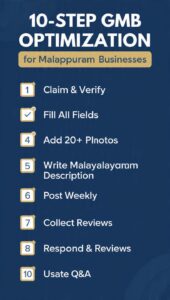
How to Optimize Your Google My Business Profile
Setting up the profile is just the first step. Optimization is where the real advantage comes from. Start by filling out every single field in your profile. Leave nothing blank. Select the most accurate primary category and add relevant secondary categories. For example, a clinic should choose “Dermatologist” as the primary and “Skin Care Clinic” as a secondary category. Write a compelling “from the business” description in simple, warm Malayalam that naturally includes what you offer and where you are located.
Photos are your secret weapon. A profile with 20+ high-quality, recent photos receives 42% more direction requests. Post a mix of exterior shots, interior ambiance, staff in action, and product close-ups. Avoid stock photography—real images of your real space build immense local trust.
Next, use the Google Posts feature. Once a week, post a short update—a new product arrival, a festive offer, a customer testimonial, or an event announcement. These posts appear directly in your listing and keep your profile active. Google notices this freshness and rewards it.
Finally, integrate a simple system for reviews. Train your staff to politely ask a happy customer for a review. Make it easy by sharing the direct review link via WhatsApp. Respond to every single review—positive and negative—in a polite, personalized manner. This signals both to customers and to Google that your business is active, responsive, and trustworthy.
Google My Business vs. Other Platforms
Some business owners argue they are already active on Instagram or WhatsApp, so why bother with GMB. The difference lies in intent. A person scrolling Instagram is being passively entertained. A person searching Google for “plumber in Kottakkal” has an urgent, immediate need. They are not browsing. They are ready to hire or buy. Google My Business captures this high-intent traffic. Social media builds desire. Google My Business fulfills demand. Both are essential, but they serve entirely different functions in your customer’s journey.
A Simple Setup Checklist
Step Action
Claim Go to google.com/business and claim or create your listing
Verify Complete the postcard or phone verification process
Complete Fill in every field: name, address, phone, hours, categories, description
Photograph Upload at least 20 authentic, high-quality images
Post Publish your first Google Post announcing your profile
Review Ask 5 loyal customers to leave a review within the first week
Respond Reply to each review personally
Update Check insights weekly and post fresh content every 7 days
The 2026 Advantage
Google My Business has evolved. In 2026, features like messaging directly from the listing, product catalog displays, and service booking buttons are deeply integrated. A local salon in Malappuram can now accept appointment bookings entirely through their GMB profile. A home baker can display their Eid special cake menu with prices. A hardware store can list their top 10 products with links to call and order. The gap between an optimized profile and a bare-minimum one has never been wider, and the businesses investing in this free tool are reaping disproportionate rewards.
Final Thoughts
If you’re running a business in Malappuram, optimizing your Google Business Profile should be an important part of your local SEO strategy.
Start with accurate business information, choose the right category, add high-quality photos, collect genuine reviews, and keep your profile updated.
Then connect your Business Profile strategy with your website, useful local content, internal links, and other local SEO activities.
The goal isn’t simply to rank for one keyword. The goal is to build a trustworthy online presence that helps people in Malappuram discover your business, understand your services, and take action.
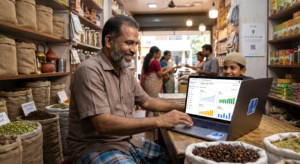
Need help setting up or optimizing your Google My Business profile? Contact us today for a free consultation and let our team handle your local SEO from start to finish.
Frequently Asked Questions
1. Is a Google My Business profile in Malappuram really free?
Yes, completely free. Google provides this as a service to both businesses and users. There is no cost to claim, verify, or manage your profile.
2. How long does it take to verify my GMB profile?
Typically, the postcard verification takes 5-12 business days to arrive at your business address. Sometimes phone or video verification is available and can be instant.
3. Can I manage my GMB profile from my smartphone?
Yes. Download the Google My Business app from the Play Store or App Store. It allows you to manage your profile, respond to reviews, post updates, and view insights entirely from your phone.
4. What if my business operates from home and I don’t want my home address visible?
You can list your business as a “service area business.” This hides your physical address and shows only the area you serve, such as “Malappuram and surrounding municipalities.”
5. How many reviews do I need to start seeing results?
Even 5-10 genuine, positive reviews can significantly boost your local ranking and customer trust. The key is consistency—a steady flow of recent reviews is more powerful than a one-time burst.